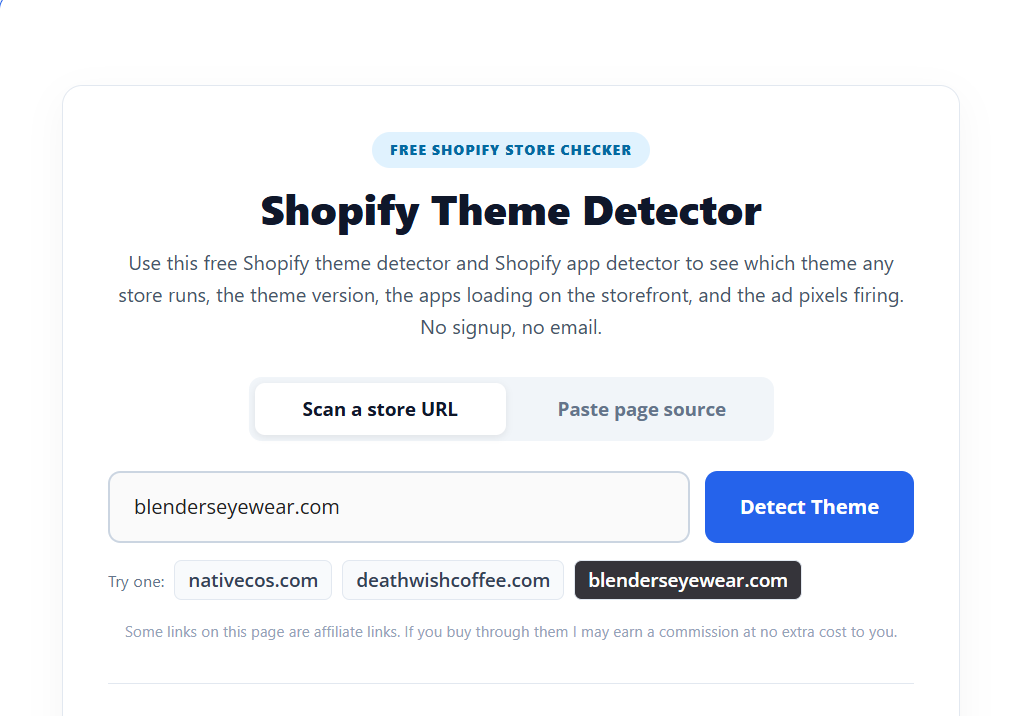
Shopify Theme Detector
Use this free Shopify theme detector and Shopify app detector to see which theme any store runs, the theme version, the apps loading on the storefront, and the ad pixels firing. No signup, no email.
Some links on this page are affiliate links. If you buy through them I may earn a commission at no extra cost to you.
Two tools I actually point people to
Shopify Free Trial + $1/Month
Launch your store with 3 days completely free (no credit card required), followed by 3 full months at just $1/month on any standard plan. Includes fast global checkout, Shop Pay, and SSL hosting.
Shrine Theme Pro (One-Time License)
Stop paying $150+/month for separate upsell, bundle, and quantity-break apps. Shrine Pro bakes 120+ direct-response CRO features into an ultra-fast codebase with lifetime updates.
What a Shopify theme detector shows you
A Shopify theme detector reads the public code of a store and tells you what it is built on. Every Shopify storefront ships a small block of JavaScript called Shopify.theme, and it holds the theme name, the schema name, the version and, for Theme Store themes, a numeric ID. Third-party apps also load scripts on the page, which leaves a trail you can match against known app domains.
This Shopify theme detector does that for you in a few seconds, and it doubles as a Shopify app detector. You get the theme, whether it is free or paid, the version, the apps loading on the storefront, a rough monthly cost for those apps, and which ad and analytics tags are firing.
I built it because every time I plan a new store or audit a client's, the first thing I do is look at what the stores in that niche are running. Seeing that a store doing serious volume uses a plain free theme and five apps tells you something very different from seeing twenty apps stacked on a paid theme.
How to use this tool
- Type the store's address into the box at the top, for example
gymshark.com. You don't needhttps://. - Press Detect Theme and wait a few seconds.
- Read the theme card first, then the app list. Use Copy report to save the result.
- If the scan fails, switch to Paste page source. Some stores block automated requests, and pasting the source gets around that every time.
Planning your own store? Shopify usually has an intro trial. Check what it is today before you sign up.
See Shopify's current offerCheck a Shopify theme by hand
You don't need any tool for this, and it is worth knowing how. It takes about a minute.
- Open the store in Chrome and press Ctrl+U (Windows) or Cmd+Option+U (Mac) to view the page source.
- Press Ctrl+F and search for
Shopify.theme. - Look at the object next to it.
schema_nameis the real base theme.theme_store_idis the ID from the official Theme Store. - If
theme_store_idisnull, the theme was uploaded as a file. That means a third-party theme bought elsewhere, a heavily modified copy, or a fully custom build.
To spot apps, search the same source for words like klaviyo, judge.me or gorgias. If a domain shows up in a script tag, the app is installed.
Why renamed themes fool most checkers
Store owners can rename their theme to anything. A store running Impulse might show up as "Main Theme" or "Live v4" in the admin. Simple checkers read that display name and give up.
This tool reads schema_name first, because it normally keeps the original theme name even after a rename. When the two names differ, the result tells you so. It is not perfect: some developers strip or edit the schema, and headless stores have no theme at all. In those cases the tool says it can't tell, rather than guessing.
Popular themes compared
Theme prices change, so I've left exact numbers out. Check the Theme Store for what's current.
| Theme | Cost | Good fit for | Worth knowing |
|---|---|---|---|
| Dawn | Free | New stores, small catalogs | Fast and simple. Many themes are built on it. |
| Refresh | Free | Beauty, health, small catalogs | Bolder look than Dawn with the same speed. |
| Impulse | Paid | Fashion, large catalogs | Strong collection filters and promo sections. |
| Prestige | Paid | Beauty, premium products | Editorial layouts for brand storytelling. |
| Impact | Paid | Gadgets, home goods | Sticky buy bars and conversion sections. |
| Shrine Theme Pro | One-time license | Dropshipping, offers and bundles | Bundles and quantity breaks built in, so you need fewer separate apps. |
If your store depends on bundles and upsells, a theme that includes them can mean fewer apps to pay for and maintain.
Look at Shrine Theme ProApps, speed and ad costs
Many Shopify apps add their own JavaScript to every page. A few are fine. A dozen can slow the page enough that paid traffic gets more expensive, because people leave before the page finishes loading. Most ad clicks come from phones, so that hit lands hardest on mobile.
The practical way to use a detector here: scan a competitor, list the apps, and ask which ones do something your theme could already do. Countdown timers, announcement bars, free-shipping bars and basic upsells are the usual suspects. Then run your own store through Google's PageSpeed Insights before and after you remove anything, so you see the real effect instead of guessing.
Frequently asked questions
How accurate is a Shopify theme detector?
It is accurate when the store leaves its theme data in the page, which most do. It reads the schema name and Theme Store ID, so a renamed theme usually still shows its real base. It can't identify headless stores or themes where the developer removed the data.
Can I detect apps on a password-protected store?
No. A store behind a password page only shows the password screen to the public, so there are no theme or app scripts to read. Once the password is removed, the scan works.
Why don't fulfillment apps like CJ Dropshipping or AutoDS show up?
They work through the Shopify admin and API, not through scripts on the storefront. A detector only sees what loads in a visitor's browser, so admin-only apps stay hidden.
Is it legal to use the same theme as another store?
Using the same theme is normal. Plenty of stores run Dawn or Impulse. You need your own license for any paid theme, and you shouldn't copy another store's images, text or custom code. I'm not a lawyer, so check the theme's license terms if you're unsure.
What do I do if the URL scan fails?
Use the Paste page source tab. Open the store, press Ctrl+U, copy everything, and paste it in. The analysis runs in your browser, so nothing depends on the store allowing a scan.
Does the tool store the sites I scan?
No. The analysis happens in your browser. When you use the URL scan, the page is fetched through a relay so your browser can read it, but nothing is saved to a database on this site.
How much does it cost to start a Shopify store?
You can start with a 3-day free trial with no credit card required, followed by $1/month for your first 3 months on any standard monthly plan via Shopify's promotional offer. Afterward, standard plans start at $29/month (billed annually) or $39/month (billed monthly).